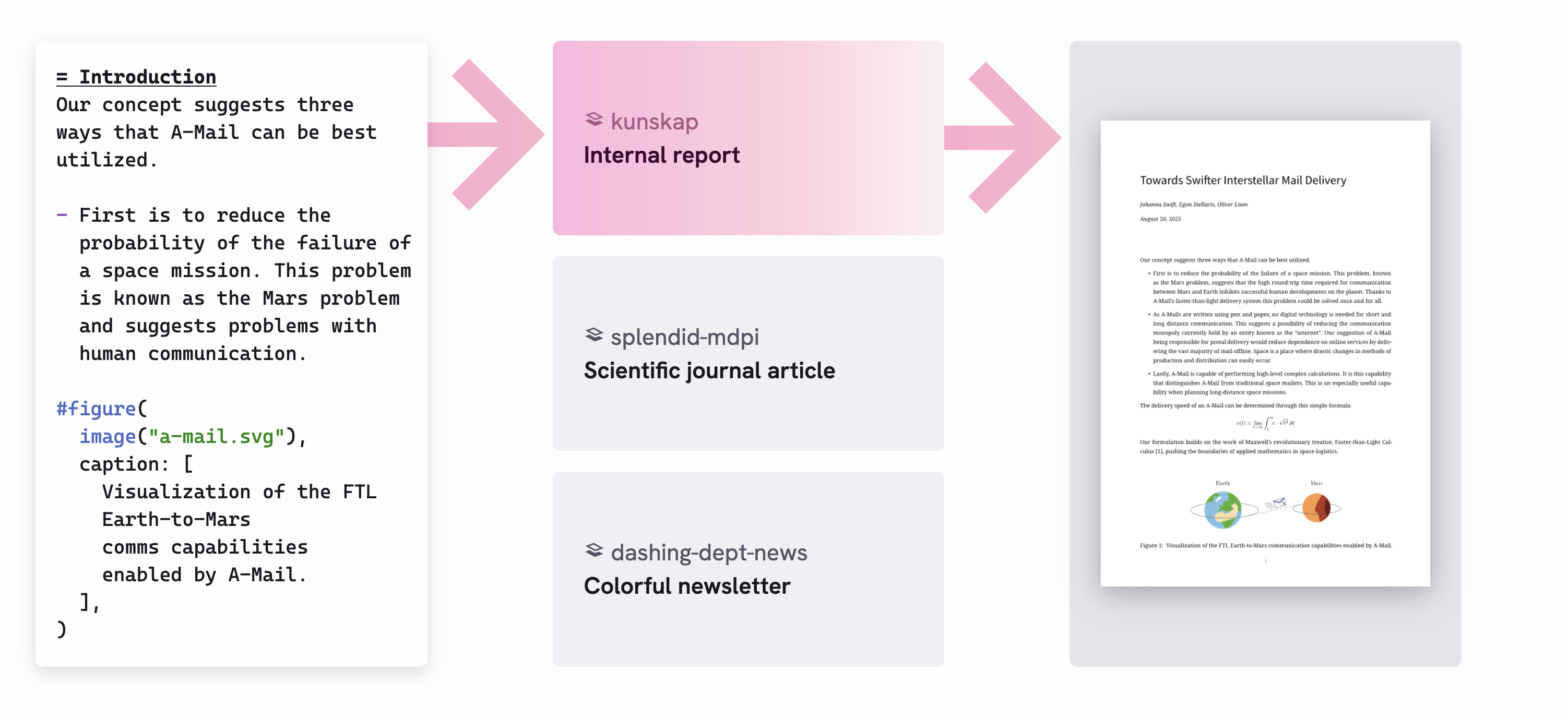
From Notebook to Publish‑Ready Report with Quarto


Christophe Dervieux

September 30, 2025

Let’s discuss publishing

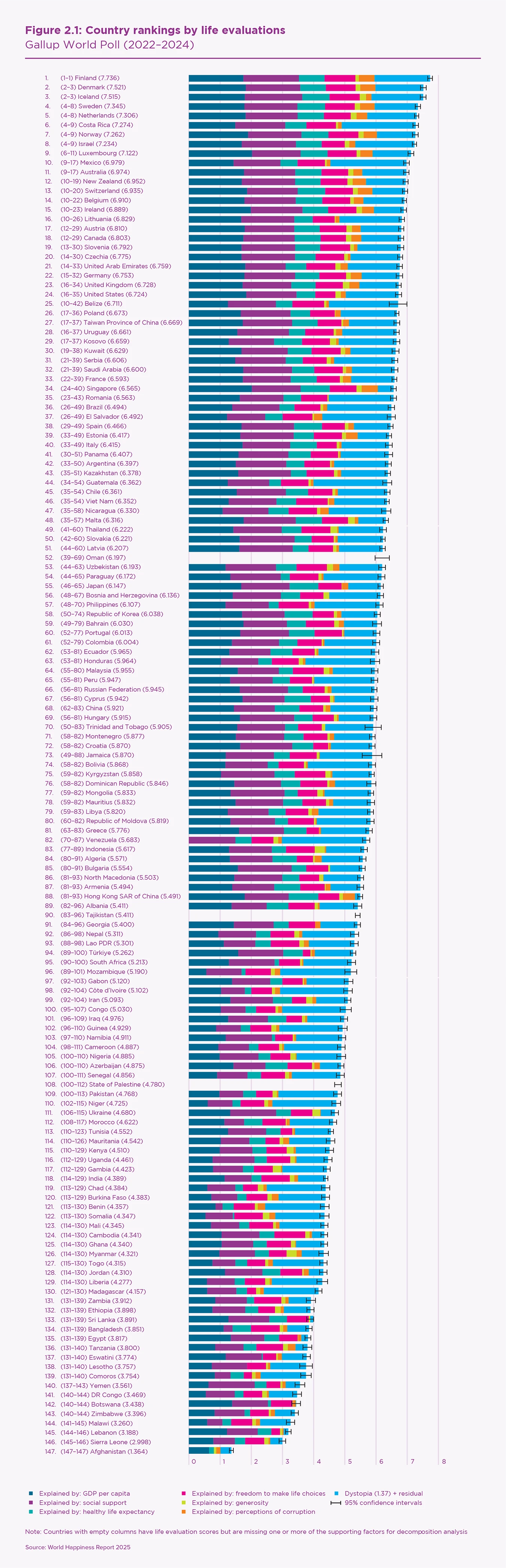
World Happiness Report 2025

World Happiness Report Data
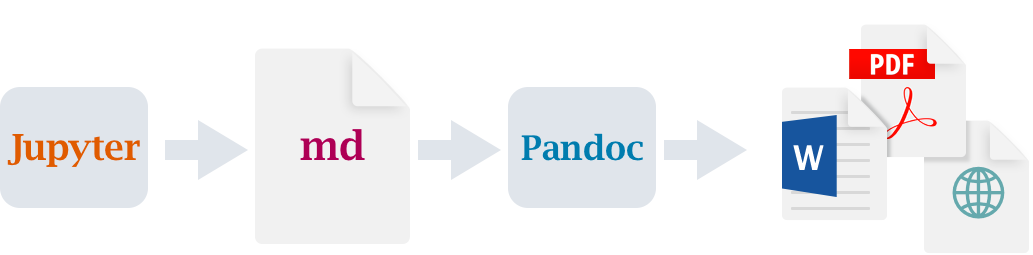
From Notebook…

… to Publish‑Ready Report

Let’s use Quarto for this

is an open-source, scientific, and technical publishing system

quarto publish quarto-pub whr-data-analysis.ipynb

Why does this matters ?

  • Faster sharing
  • stakeholder-ready output
  • reproducibility
  • production-quality

About Quarto

What is Quarto exactly ?

A Command Line Interface to render and publish documents and projects

  • Multi-engine
    Jupyter for Python, Knitr for R, QuartoNotebookRunner for Julia, Observable for JS

  • Multi-format
    HTML, PDF, HTML slides, PDF slides, pptx, docx, …

  • Config-driven via YAML and CLI flags

  • Designed for reproducible input (.ipynb, .qmd) towards professional outputs.

How does it work ?

quarto render whr-report-analysis.ipynb

Best results by re-executing the notebook using --execute

quarto render whr-report-analysis.ipynb --execute

Where can we publish ?

❯ quarto publish --help 

Usage:   quarto publish [provider] [path]
Version: 1.8.24

Description:

  Publish a document or project to a provider.

  Available providers include:

   - Quarto Pub (quarto-pub)
   - GitHub Pages (gh-pages)
   - Posit Connect (connect)
   - Netlify (netlify)
   - Confluence (confluence)
   - Hugging Face Spaces (huggingface)

  Accounts are configured interactively during publishing.
  Manage/remove accounts with: quarto publish accounts  

Publishing system ?

  • Multi formats outputs
  • Configurable rendering
  • Publications-ready features

Why multi-format matters ?

  • Different audiences
  • Different use cases
  • Different distribution channels
  • Different reading experiences

Configuring the rendering

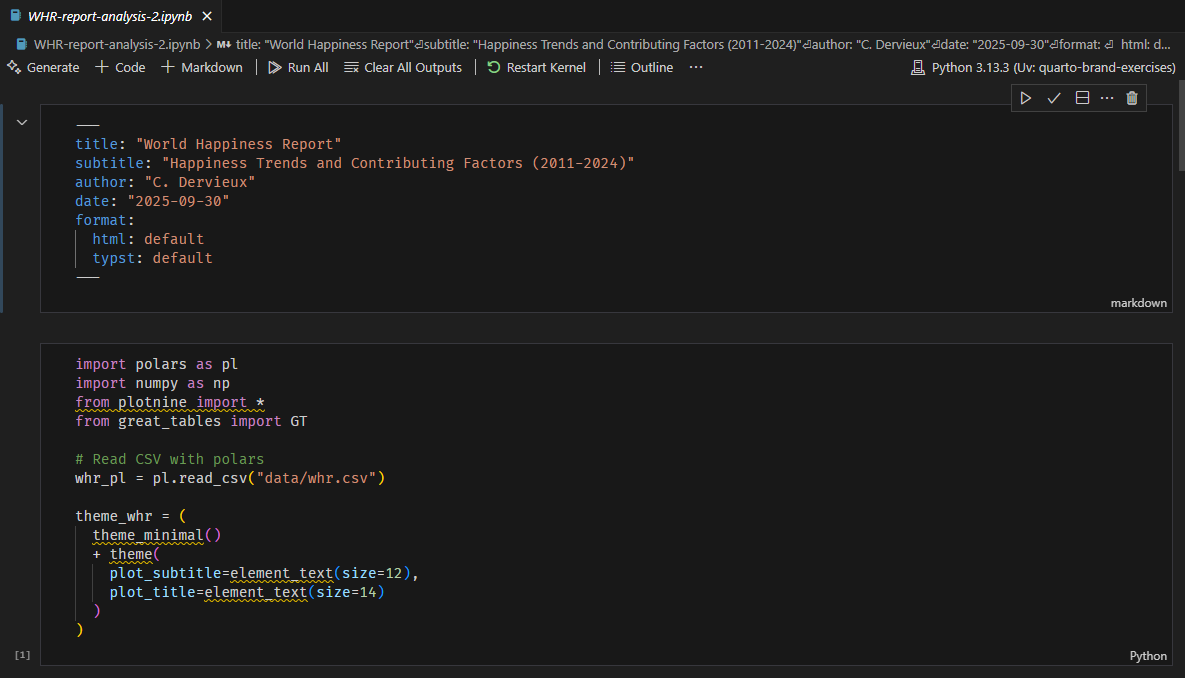
Using YAML front matter

---
title: "World Happiness Report"
subtitle: "Happiness Trends and Contributing Factors (2011-2024)"
author: "C. Dervieux"
date: "2025-09-30"
format: 
  html: default
  typst: default
---

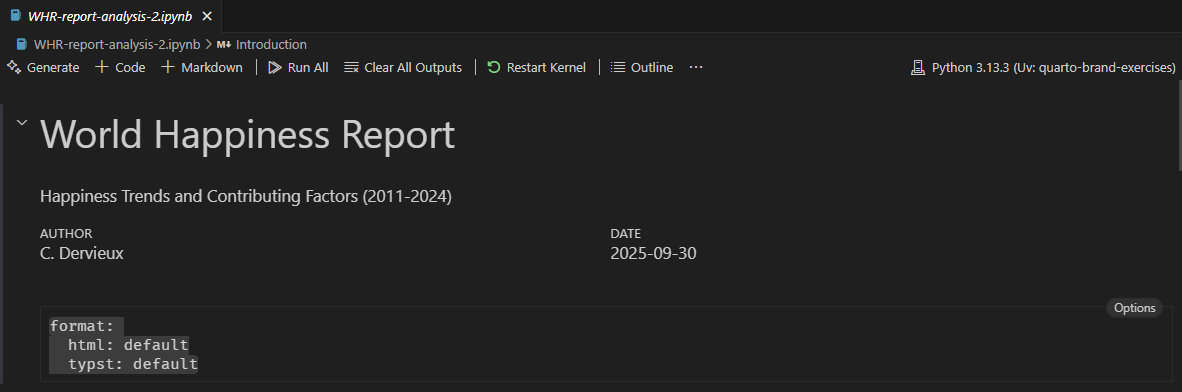
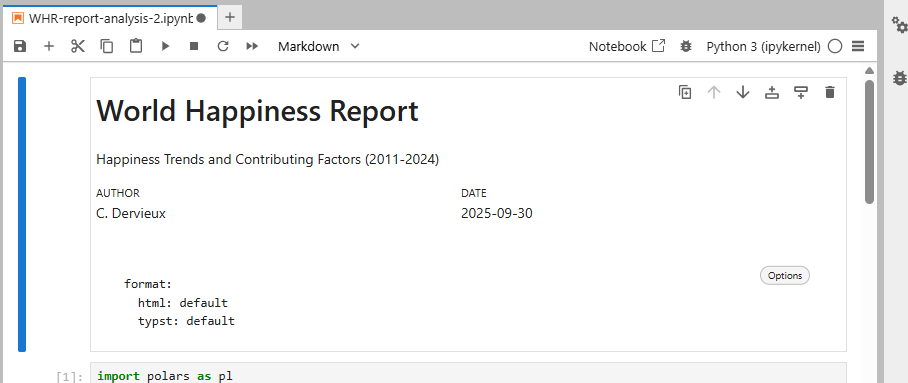
Configuring the rendering

Rendered nicely in

https://positron.posit.co

Rendered nicely in

JupyterLab Quarto Extension

Publishing multiple formats

Same command

quarto publish quarto-pub whr-data-analysis.ipynb

About PDF with Typst

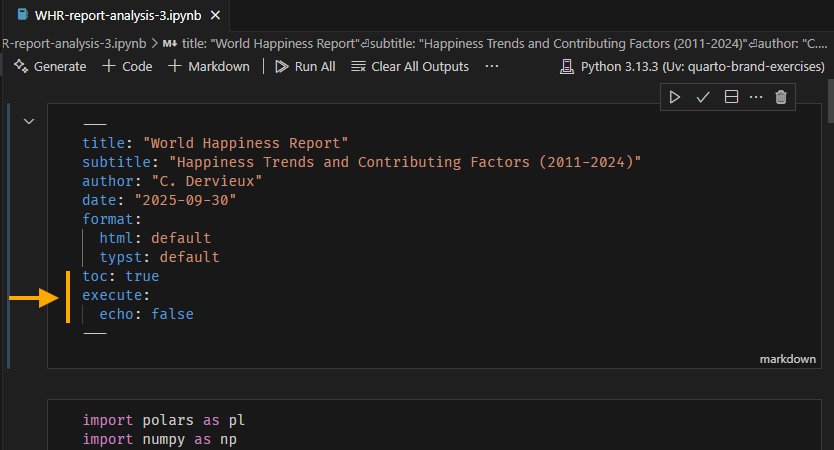
Improving the rendered output

No source code cell in output

execute:
  echo: false

Adding table of content

toc: true

Just configuration in Notebook header
Adding publications-ready features

About in-cell configurations

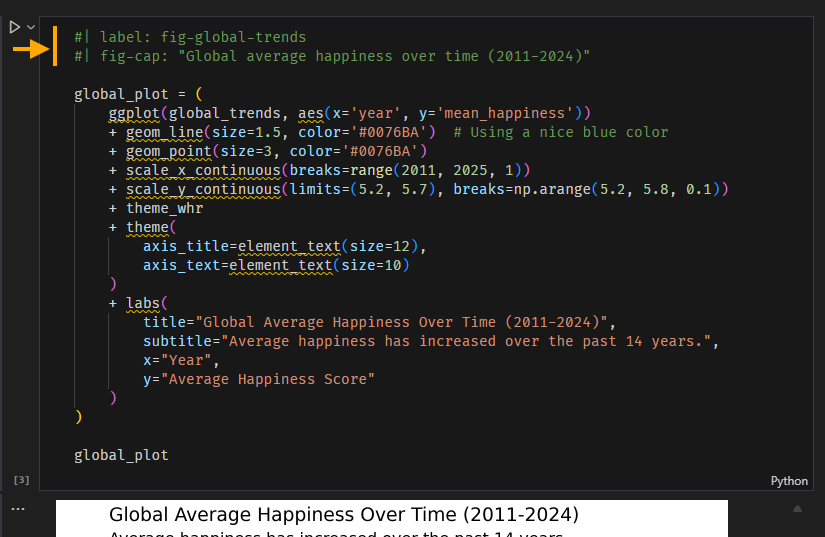
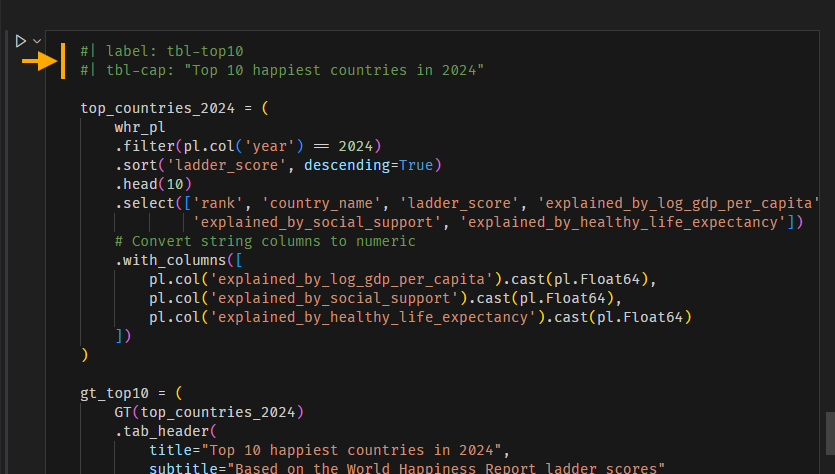
Caption and Numbering

Figures

Caption and Numbering

Tables
Cross-referencing

Using @<label>

inside markdown cell
From @fig-global-trends, we observe the following trends 
in global happiness scores over the years

This will resolve to correct figure with numbering and reference link.

Inline computations results

Special Quarto syntax allowing to interleave computed value and text

inside markdown cell
Finland (`{python} f"{top_countries_2024['ladder_score'][0]:.2f}"`)

Requires an execution pass through quarto render with --execute flag

What about theming ?

Unified theming system
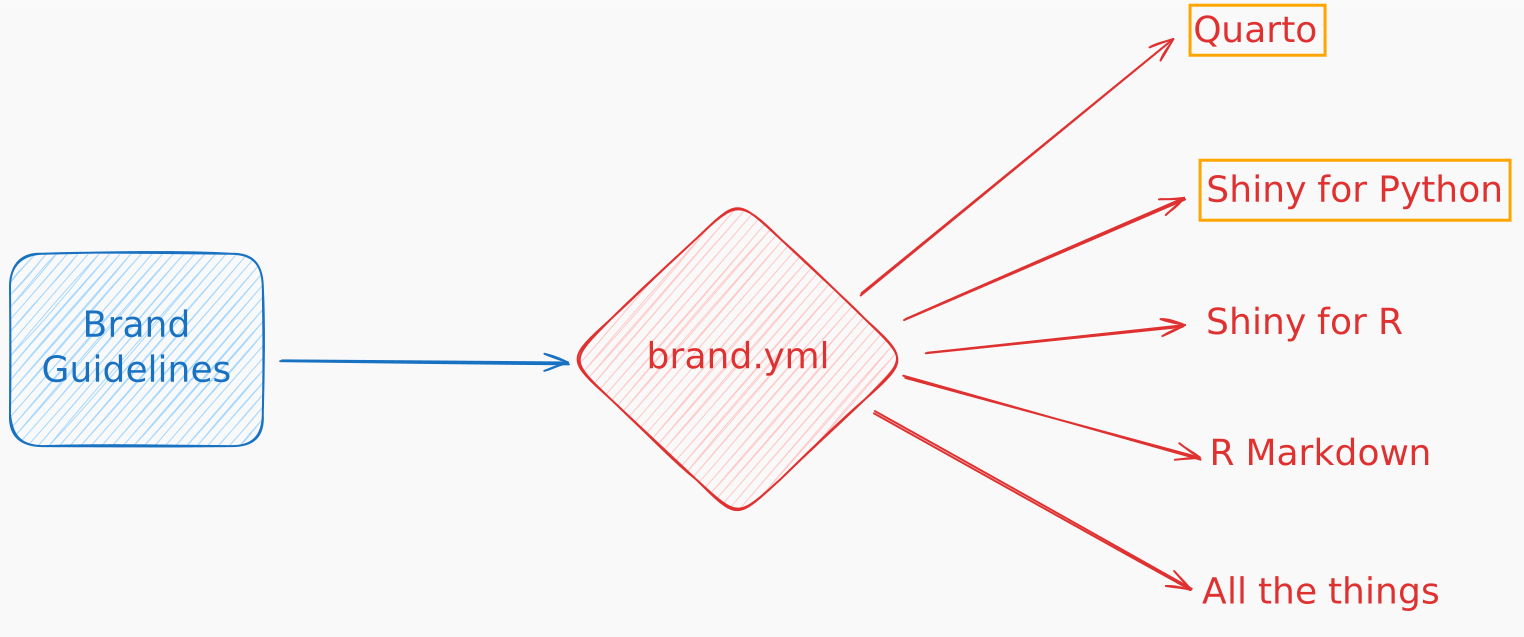
Example for WHR report analyst

_brand.yml
meta:
  name: World Happiness Report
  link:
    home: https://www.worldhappiness.report/

logo: 
  medium: whr_logo.png

color:
  palette:
    dark-purple: "#93358c"
    light-purple: "#f8f6fb"
    teal: "#04afaf"
    dark-blue: "#086992"
    hot-pink: "#eb068c"
    light-blue: "#1aade4"
  background: white
  foreground: black
  primary: dark-purple
  secondary: hot-pink
  tertiary: light-purple
  dark: black

typography:
  fonts:
    - family: Montserrat
      source: google
      weight: [400, 700]
  base:
    family: Montserrat
    weight: 400
  headings:
    family: Montserrat
    weight: 700
    color: dark-purple
  link:
    color: primary
    decoration: none

A file next to the notebook

.
├── _brand.yml
├── WHR─report─analysis─5.ipynb
├── data
│   └── whr.csv
└── whr_logo.png

Automatically picked up by Quarto https://quarto.org/docs/authoring/brand.html

Logo support

For formats supporting logo:

format:
  typst: 
    logo:
      width: 1in
      padding-left: 0.5in
      padding-top: 0.25in
      alt: World Happiness Report Logo

Figures and Tables?

Tooling to use brand

  • pip install quarto

  • pip install brand-yml

Use _brand.yml values in your Python code to style tables and figures

Takeaways

Using Quarto to publish Notebooks

  • Fast sharing of an existing analysis, with multiple formats from same source

  • Nicely formated outputs through configurations and Quarto specific features

  • Organization Branded publications at hand

A lot more can be done with Quarto

Deep dive at https://quarto.org

@cderv · @chrisderv

Thank You !